Jump to content
GEAR UP FOR WARDOGS - 1PC & DMA PACKAGES LIVE NOW → SHOP THE LINEUP ×
Wardogs

BellTower

CamUnlocks hero image
👋 Welcome! Use code CAMUNLOCKS at checkout to unlock 5% off your first order
BellTower
BellTower
BellTower
BellTower
BellTower
BellTower
BellTower

BellTower

Rated 5.0 out of 5 from 1 review Read the review
Add-ons

Customer reviews

5.0 Rated 5.0 out of 5 from 1 review

Recent reviews

  • WORKS GREAT NO DETECTION

    BEEN USING SINCE BETA WITH NO ISSUES RAGING OVER 80 KILLS EVERY MATCH 10 HRS A DAY NO BAN BUY THIS NOW !!!!!!!

    Response from the store Responded by Cam ·

    Appreciate it, glad BellTower has been smooth for you in Wardogs since the beta.

Read the review How we moderate reviews

Requirements

Summary

BellTower WARDOGS

BellTower WARDOGS delivers a feature-rich solution built around advanced target acquisition, detailed battlefield awareness, vehicle and object tracking, and extensive customization. Combining Dynamic Hitbox targeting, ballistic and movement prediction, advanced Player ESP, vehicle and loot Object ESP, a configurable player radar, a dedicated Mortar Radar, and weapon features, WARDOGS gives you extensive control through a clean and configurable interface.


Cheat Features

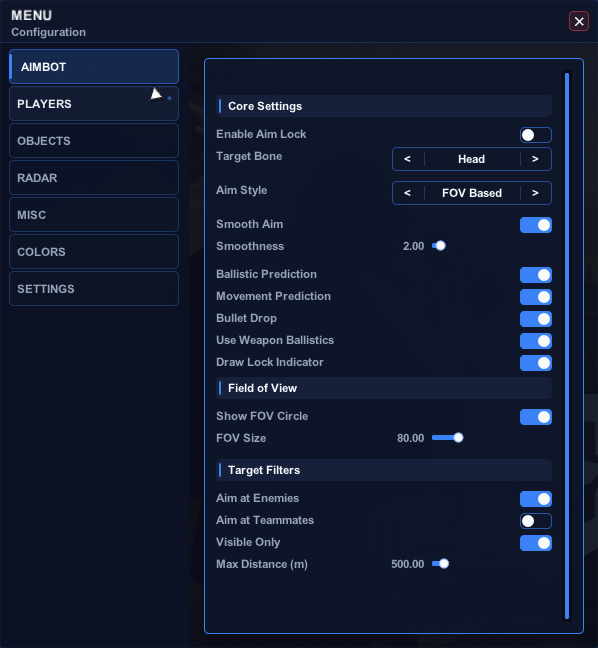
  • AIMBOT - CORE SETTINGS

    Advanced target acquisition with dynamic hitbox, prediction, and smoothing options.

    • Enable / Disable Aim Lock
    • Lock Until Key Release
    • Recoil Control System
    • Dynamic Hitbox
    • Hitbox Priority: Head / Torso First
    • Hitbox Priority: Closest to Crosshair
    • Target Bone Selection when Dynamic Hitbox is disabled: Head
    • Target Bone Selection when Dynamic Hitbox is disabled: Neck
    • Target Bone Selection when Dynamic Hitbox is disabled: Pelvis
    • Target Bone Selection when Dynamic Hitbox is disabled: Spine
    • Aim Style: FOV Based
    • Aim Style: Closest Distance
    • Aim Style: Lowest Health
    • Smooth Aim
    • Adjustable Smoothness
    • Deadzone
    • Adjustable Deadzone Radius
    • Adjustable Target Switch Delay
    • Aim at Enemy Vehicles
    • Ballistic Prediction
    • Movement Prediction
    • Bullet Drop Compensation
    • Use Weapon Ballistics
    • Compensate Weapon Zeroing
    • Target Lock Indicator
  • AIMBOT - FIELD OF VIEW

    Visual FOV indicator with adjustable radius.

    • FOV Circle
    • Adjustable FOV Radius
  • AIMBOT - TARGET FILTERS

    Control which targets the aimbot will engage.

    • Aim at Enemies
    • Aim at Downed Enemies
    • Aim at Teammates
    • Visible Targets Only
    • Adjustable Maximum Distance
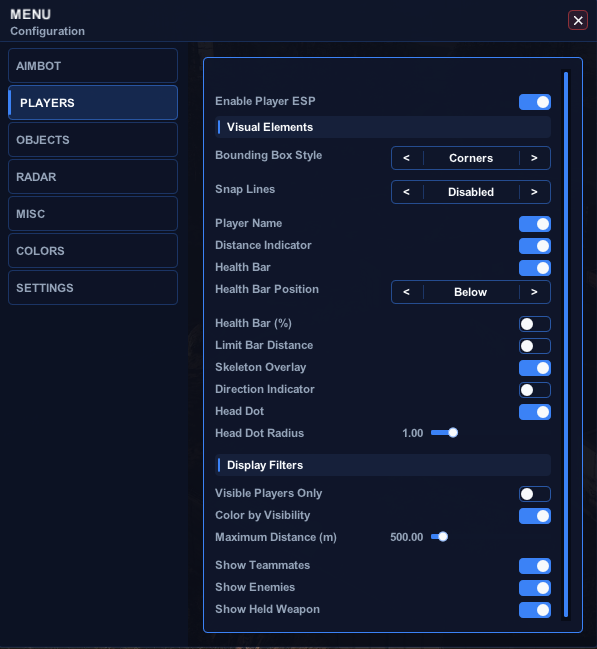
  • PLAYER ESP - GENERAL SETTINGS

    Toggle player visuals and apply faction-based coloring.

    • Enable / Disable Player ESP
    • Faction Colors for ESP & Radar
  • PLAYER ESP - VISUAL ELEMENTS

    Detailed player visual elements including boxes, snaplines, health, skeleton, and more.

    • Bounding Box Style: Corners
    • Bounding Box Style: 2D Box
    • Bounding Box Style: 3D Box
    • Bounding Box Style: Disabled
    • Snap Lines: From Center
    • Snap Lines: From Bottom
    • Snap Lines: From Top
    • Snap Lines: Disabled
    • Adjustable Snap Line Thickness
    • Player Name
    • Distance Indicator
    • Health Bar
    • Health Bar Position: Below
    • Health Bar Position: Left
    • Health Bar Position: Right
    • Health Percentage
    • Limit Health Bar Distance
    • Adjustable Bar Visibility Distance
    • Skeleton Overlay
    • Direction Indicator
    • Adjustable Direction Line Length
    • Head Dot
    • Adjustable Head Dot Radius
  • PLAYER ESP - DISPLAY FILTERS

    Filter which players are drawn and how they are colored.

    • Visible Players Only
    • Color by Visibility
    • Faction-Based Color Handling
    • Adjustable Maximum Distance
    • Show Teammates
    • Show Enemies
    • Show Downed Enemies
    • Show Held Weapon
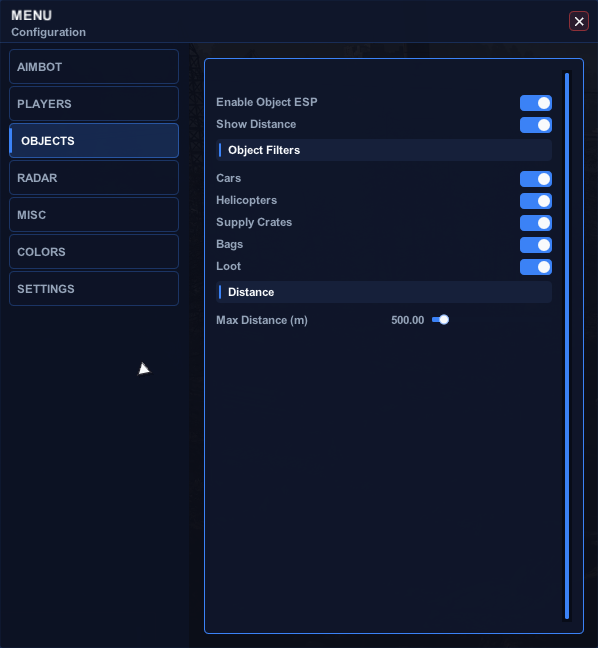
  • OBJECT ESP - GENERAL SETTINGS

    Toggle object visuals and control display distance.

    • Enable / Disable Object ESP
    • Distance Display
    • Adjustable Maximum Distance
  • OBJECT ESP - OBJECT FILTERS

    Supported object categories.

    • Cars
    • Tanks
    • Helicopters
    • Mortars / AA Guns
    • Supply Crates
    • Bags
    • Loot
    • Traps / Mines
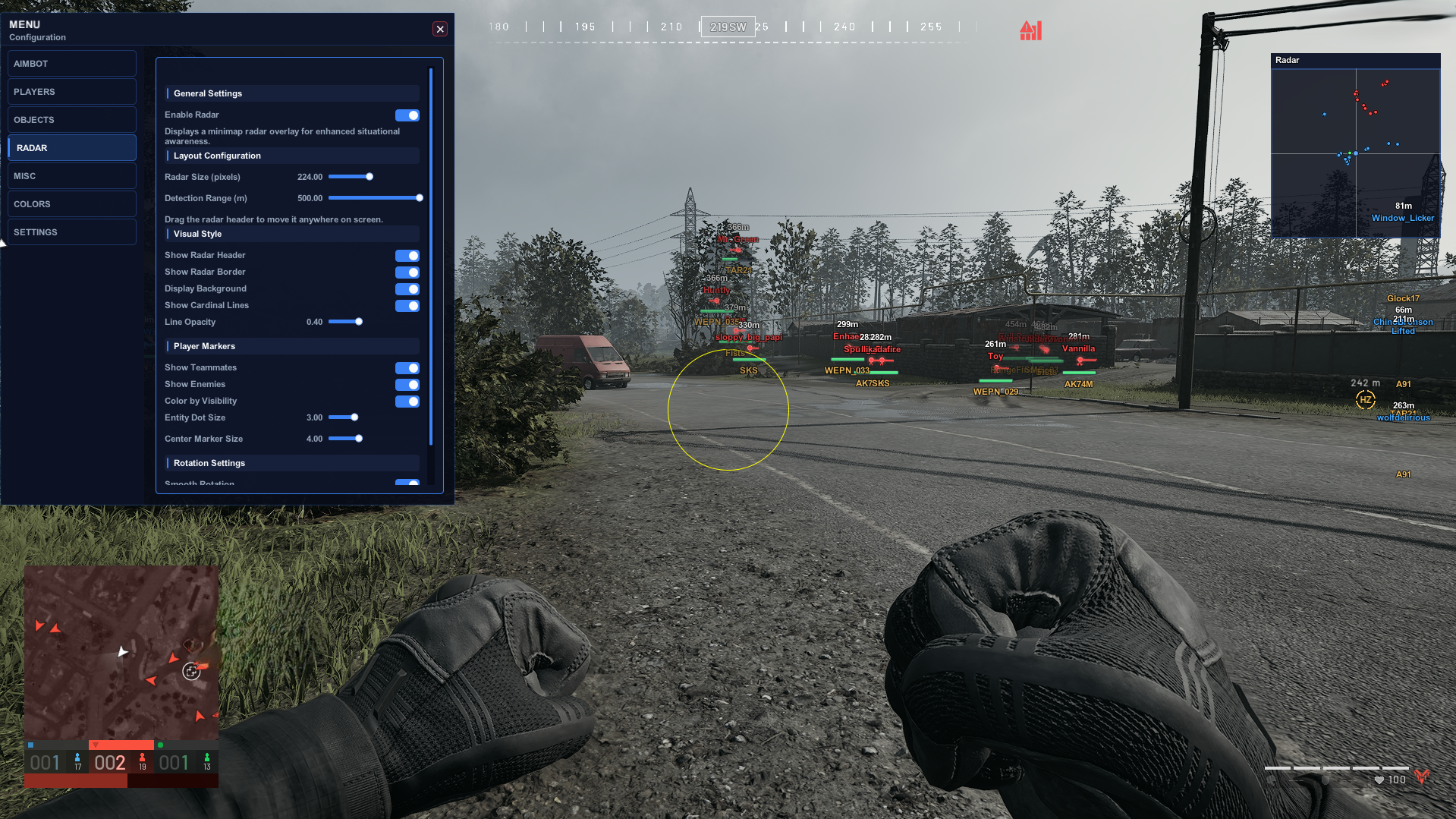
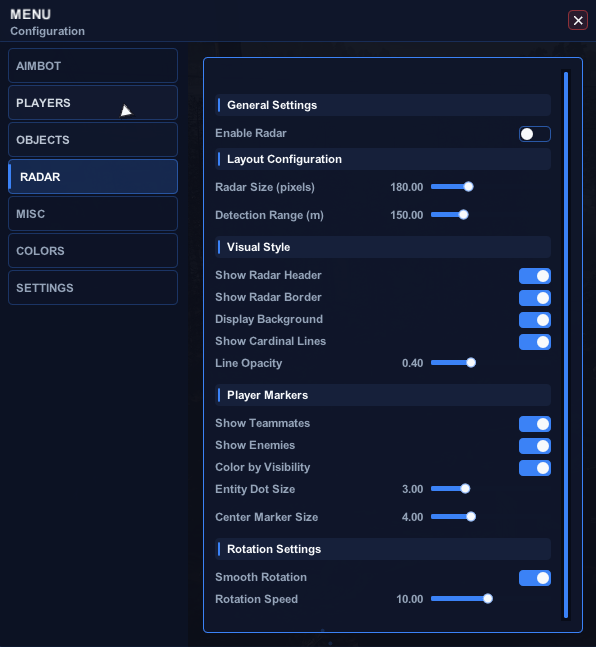
  • RADAR - GENERAL & LAYOUT

    Toggle the radar and control its size and range.

    • Enable / Disable Radar
    • Adjustable Radar Size
    • Adjustable Detection Range
  • RADAR - VISUAL STYLE

    Customize radar appearance and background elements.

    • Show / Hide Radar Header
    • Show / Hide Radar Border
    • Display Background
    • Cardinal Lines
    • Adjustable Line Opacity
  • RADAR - PLAYER MARKERS

    Control which players appear on the radar and marker sizing.

    • Show Teammates
    • Show Enemies
    • Show Downed Enemies
    • Color by Visibility
    • Adjustable Entity Dot Size
    • Adjustable Center Marker Size
  • MORTAR RADAR

    Dedicated mortar radar with impact area and world markers.

    • Enable / Disable Mortar Radar
    • Show / Hide Mortar Radar Header
    • Show / Hide Mortar Radar Background
    • Show / Hide Mortar Radar Border
    • Show Coordinates
    • Adjustable Mortar Dot Size
    • Adjustable Mortar Radar Size
    • Adjustable Impact Area Radius
    • Show Teammates
    • Show Enemies
    • Show Downed Enemies
    • Impact Marker in World
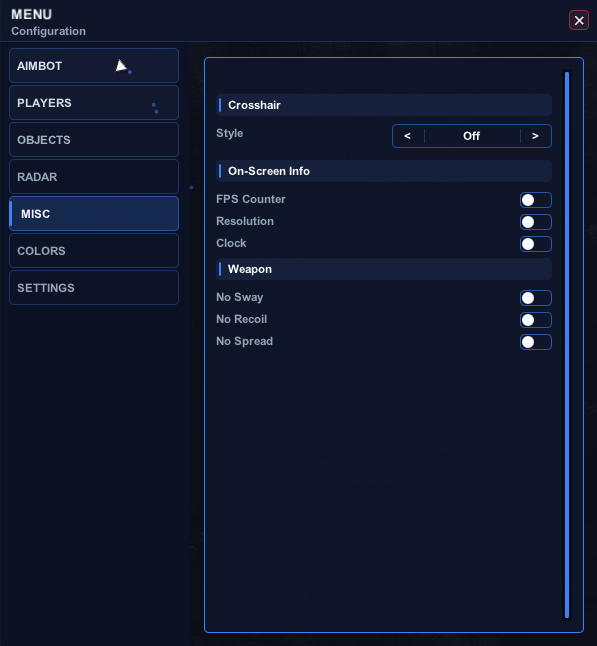
  • WEAPON FEATURES

    Weapon modifications for improved control.

    • No Sway
    • No Recoil
    • No Weapon Kickback
    • No Spread
  • MISCELLANEOUS - CROSSHAIR

    Selectable crosshair styles.

    • Crosshair Style: Cross
    • Crosshair Style: Dot
    • Crosshair Style: Circle
    • Crosshair Style: Cross + Dot
    • Crosshair Style: Off
  • MISCELLANEOUS - ON-SCREEN INFORMATION

    On-screen performance and system information.

    • FPS Counter
    • Resolution Display
    • Current Time
  • COLORS - PLAYER ESP

    Customize colors for each player state.

    • Enemy
    • Visible Enemy
    • Teammate
    • Visible Teammate
    • Downed Player
    • Distance Text
  • COLORS - RADAR & OVERLAY

    Customize radar and crosshair colors.

    • Background
    • Border
    • Center Marker
    • Crosshair Color
  • SETTINGS - PROFILE MANAGEMENT

    Create, save, load, and manage multiple configuration profiles.

    • Multiple Configuration Profiles
    • Refresh Profile List
    • Save Profile
    • Load Profile
    • Reset Profile
    • Create New Profile
    • Custom Profile Name
    • Create Profile
  • SETTINGS - HOTKEY CONFIGURATION

    Configurable hotkeys for menu and aim controls.

    • Toggle Menu Hotkey
    • Aim Lock Key
    • Emergency Disable Key
×
×
  • Create New...