

👋
Welcome! Use code
CAMUNLOCKS
at checkout to unlock 5% off your first order
BellTower
Requirements
Summary
Arc Raiders aimbot with player, NPC, item and world object ESP, a radar, warning alerts, crosshair options, color settings and saved profiles.
Cheat Features
-
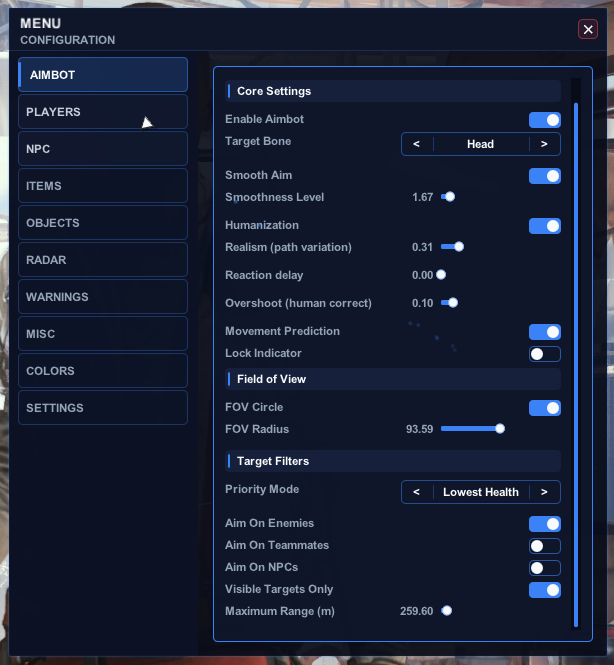
Aimbot
Aim assist options, targeting filters and a FOV circle.
- Enable / Disable Aimbot
- Target Bone (Head, Neck, Chest)
- Priority Mode
- Smooth Aim
- Adjustable Smoothness Level
- Humanization
- Realism
- Reaction Delay
- Human-Corrected Overshoot
- Movement Prediction
- Lock Indicator
- FOV Circle
- Adjustable FOV Radius
- Visible Targets Only
- Adjustable Maximum Range
- NPC Aimbot
- Anybrain Safe Mode
-
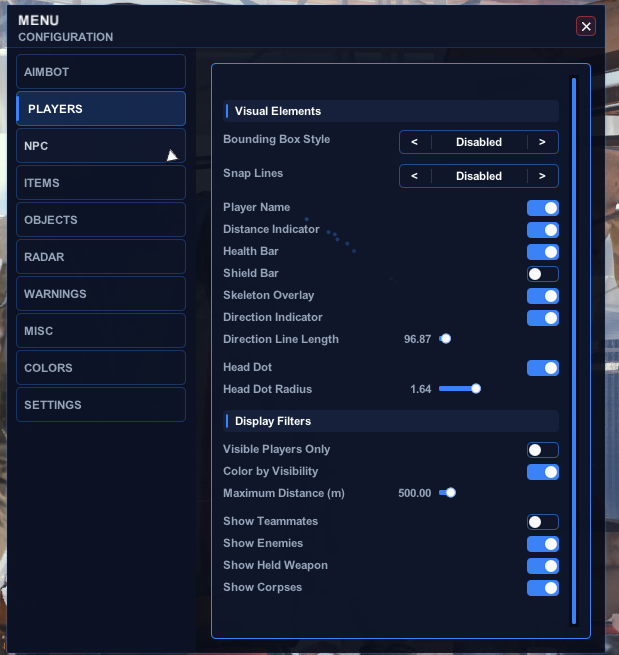
Player ESP
Player overlay with display filters.
- Bounding Box
- Snap Lines
- Adjustable Snap Line Thickness
- Player Name
- Distance Indicator
- Health Bar
- Shield Bar
- Skeleton Overlay
- Direction Indicator
- Adjustable Direction Line Length
- Head Dot
- Visible Players Only
- Color by Visibility
- Adjustable Maximum Distance
- Show Teammates
- Show Enemies
- Show Held Weapon
- Show Corpses
-
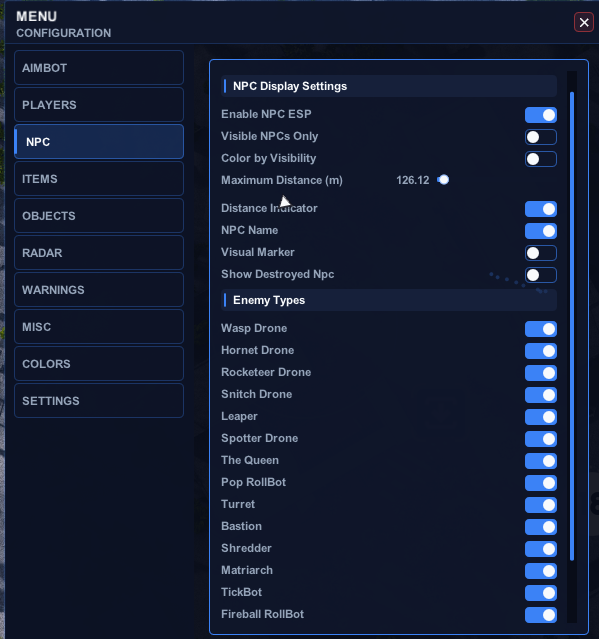
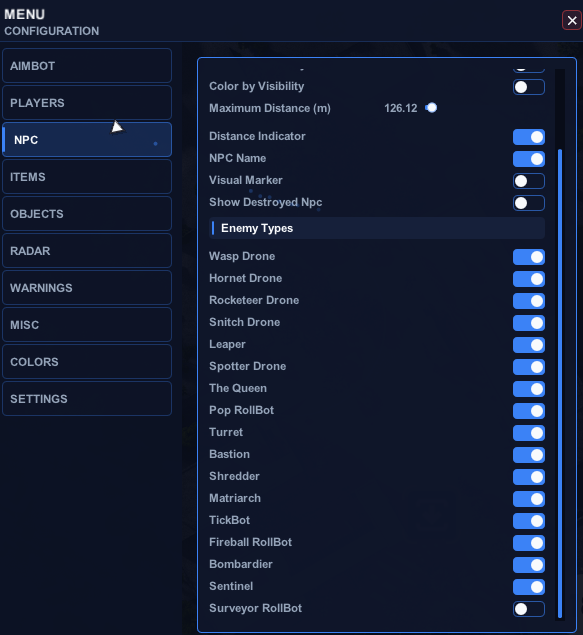
NPC ESP
Separate overlay for non-player enemies.
- Enable NPC ESP
- Adjustable Maximum Distance
- NPC Visibility Check
- Destroyed NPC ESP
- Display Options (Distance, Name, Diamond Indicator)
- Enemy Type: Wasp
- Enemy Type: Drone
- Enemy Type: Rocketeer
- Enemy Type: Snitch
- Enemy Type: Leaper
- Enemy Type: Spotter Drone
- Enemy Type: The Queen
- Enemy Type: Pop RollBot
- Enemy Type: Turret
- Enemy Type: Bastion
- Enemy Type: Shredder
- Enemy Type: Matriarch
- Enemy Type: TickBot
- Enemy Type: Surveyor
- Enemy Type: Fireball Rollbot
- Enemy Type: Bombardier
- Enemy Type: Sentinel
-
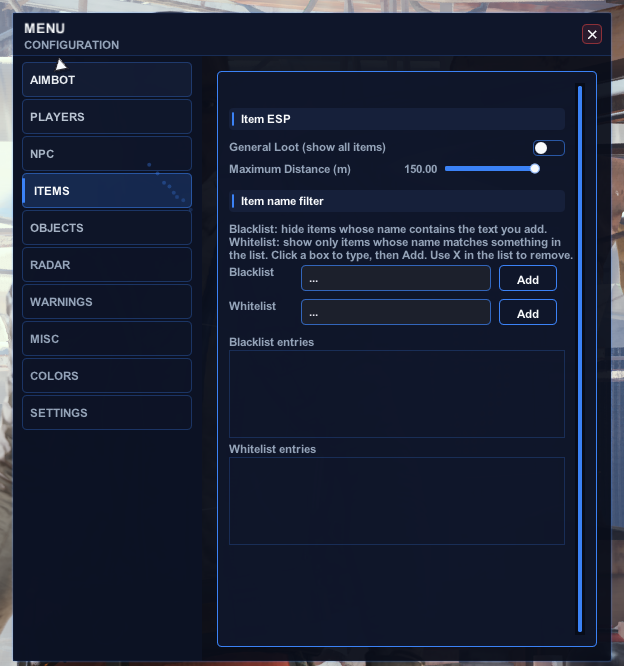
Item ESP
Loot display with name filtering.
- General Loot
- Adjustable Maximum Distance
- Item Name Filter (Blacklist, Whitelist, Add / Remove Items)
-
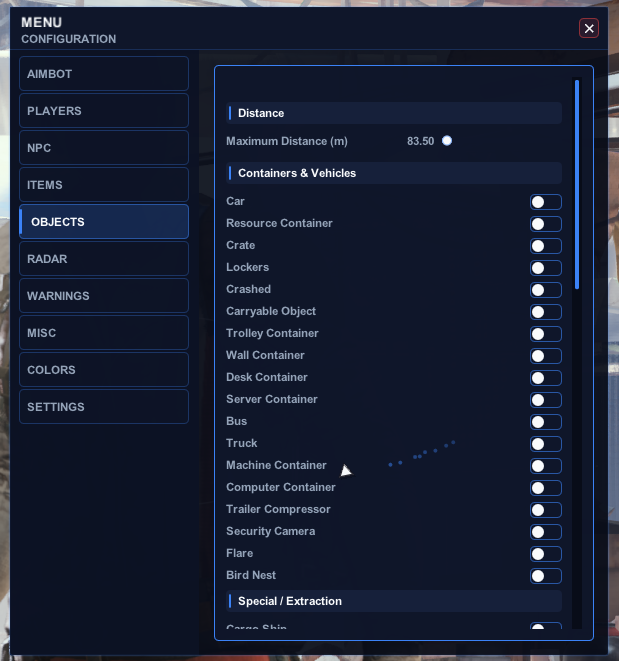
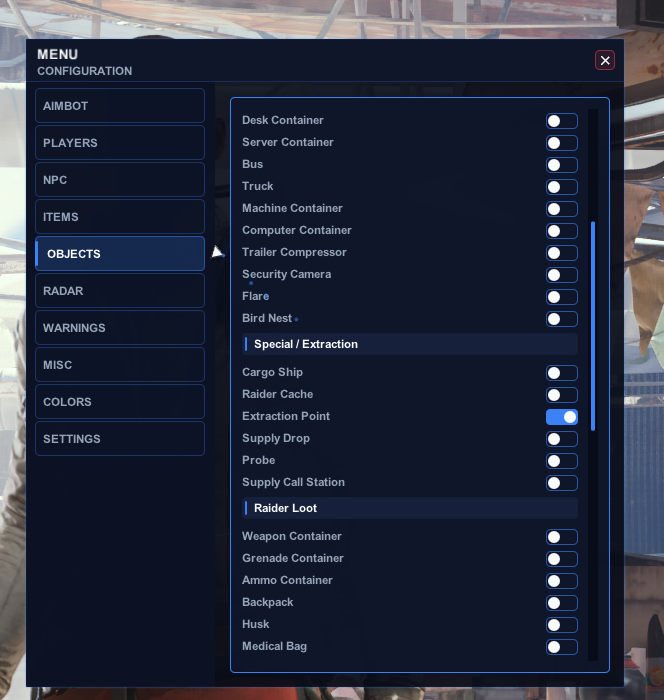
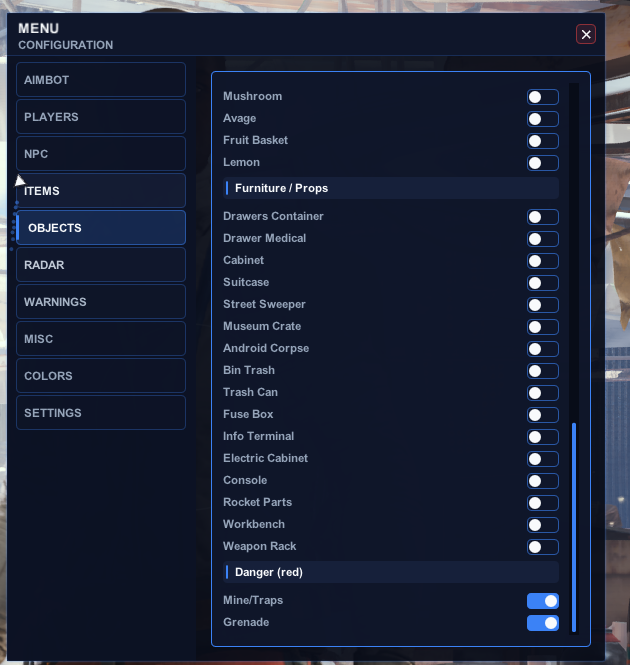
World ESP
World object display by category.
- Adjustable Maximum Distance
- 20 Containers & Vehicles
- 5 Special / Extraction Objects
- 4 Raider Loot Objects
- 5 Salvage / Plants
- 16 Furniture / Props
- 2 Danger Objects
-
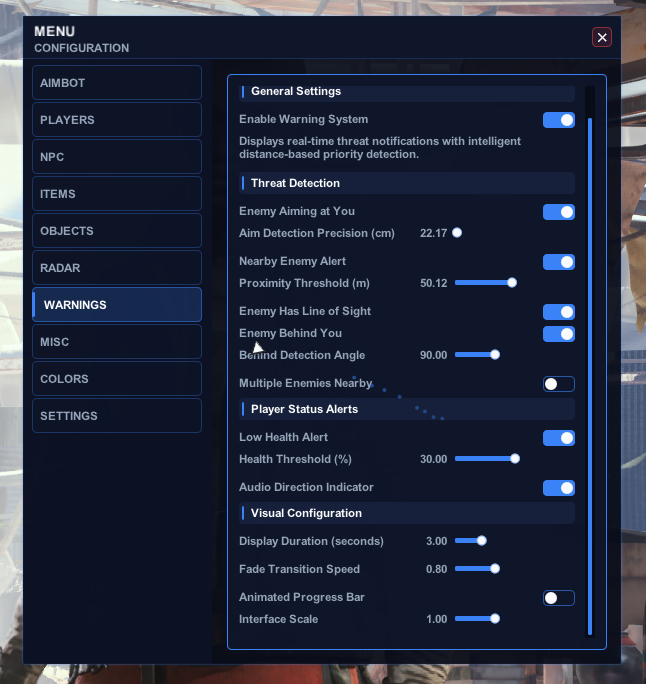
Warning System
On-screen alerts for nearby threats.
- Enable / Disable Warnings
- Enemy Aiming at You
- Nearby Enemy Alert
- Enemy Has Line of Sight
- Enemy Behind You
- Multiple Enemies Nearby
- Low Health Alert
- Audio Direction Indicator
- Display Duration
- Fade Speed
- Animated Progress Bar
- Interface Scale
-
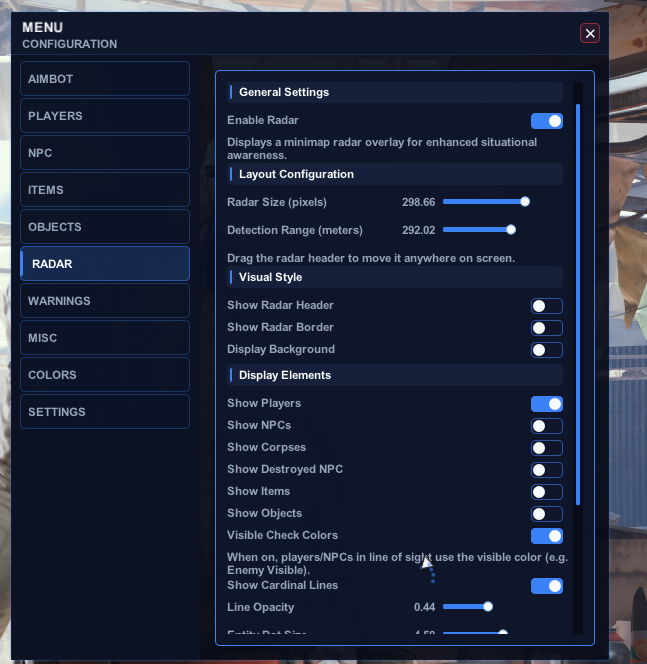
Radar
Radar with display and marker options.
- Enable / Disable Radar
- Adjustable Radar Size
- Adjustable Detection Range
- Draggable Radar Header
- Show / Hide Header
- Show / Hide Border
- Show / Hide Background
- Radar Elements (Players, NPCs, Corpses, Items, Objects)
- Visibility Check Colors
- Cardinal Lines (N / S / E / W)
- Marker Size (Entity, Item, Player)
- Smooth Rotation
- Customizable Radar Colors
-
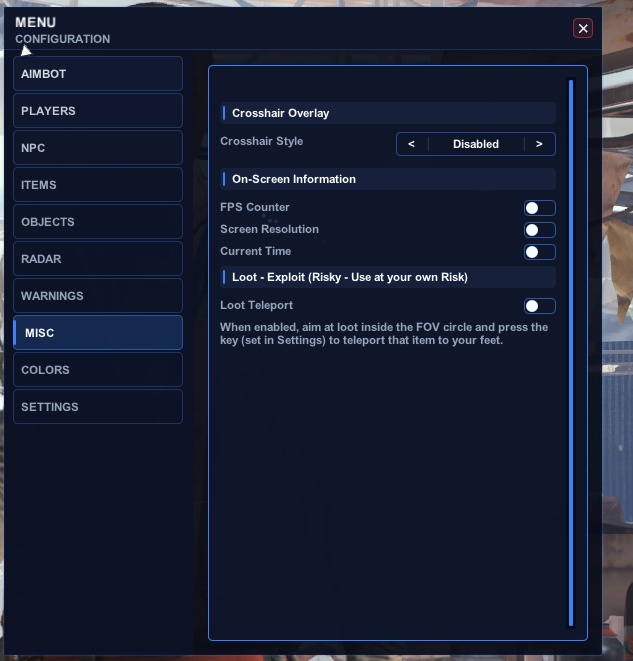
Misc
- Crosshair (Disabled, Cross, Dot, Circle, Cross + Dot)
- Crosshair Size / Gap / Thickness
- FPS Counter
- Screen Resolution
- Current Time
-
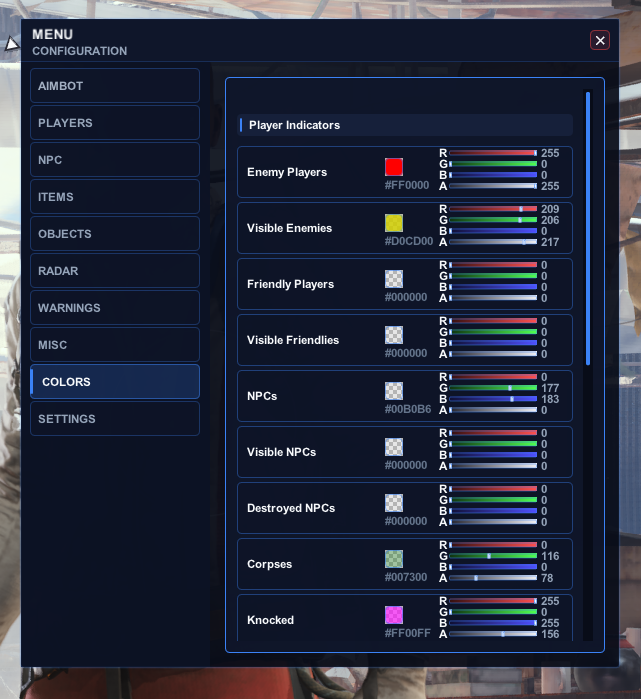
Colors
- Interface Colors (Background, Sidebar, Border, Header, Content, Accent)
- Text Colors (Primary Text, Secondary Text)
- Tab State Colors
- Player Colors (Enemy, Visible Enemy, Friendly, Visible Friendly, Knocked)
- NPC Colors (NPC, Visible NPC)
- Corpse Color
- World Colors (Crosshair, Objects)
- Radar Colors (Background, Border, Player Marker)
- Warning Colors (Critical, Medium, Low)
-
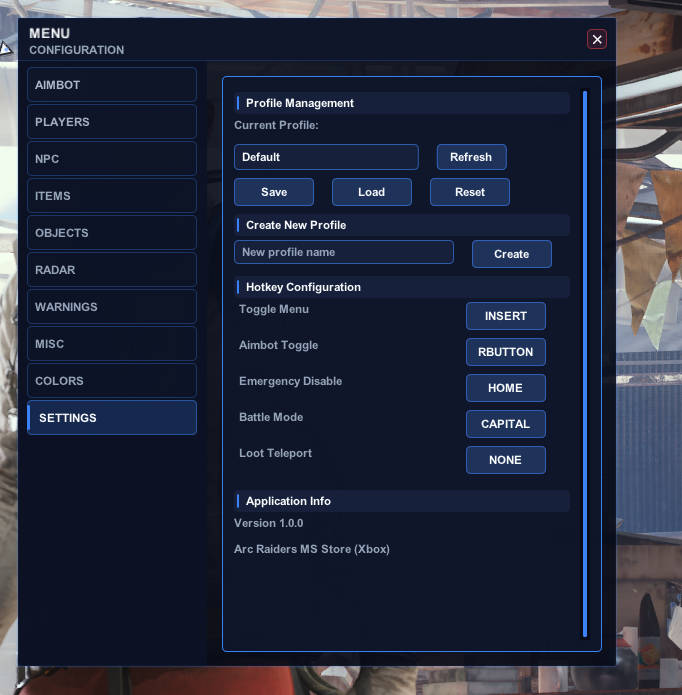
Settings
- Profiles (Save, Load, Reset, Create, Delete, Rename, Duplicate, Refresh from Disk)
- Hotkeys (Menu, Aimbot, Emergency Disable, Battle Mode)
-
1PC
Runs on your game PC -
No extra hardware
Hardware