

👋
Welcome! Use code
CAMUNLOCKS
at checkout to unlock 5% off your first order
Direct DMA
Requirements
Summary
WARDOGS Direct DMA
DMA CARD REQUIRED. WARDOGS Direct DMA delivers a comprehensive and highly customizable hardware-based cheat suite. Features include a fully configurable Aimbot with trajectory control, humanization, and customizable hitboxes, Triggerbot with advanced delay and hitbox settings, detailed Player ESP (username, bounding box, skeleton, health, stats, etc.), Object ESP for loot and vehicles, an advanced Overlay Radar, and extensive visual customization including snaplines, crosshairs, FOV indicators, and keybind status displays.
Cheat Features
-
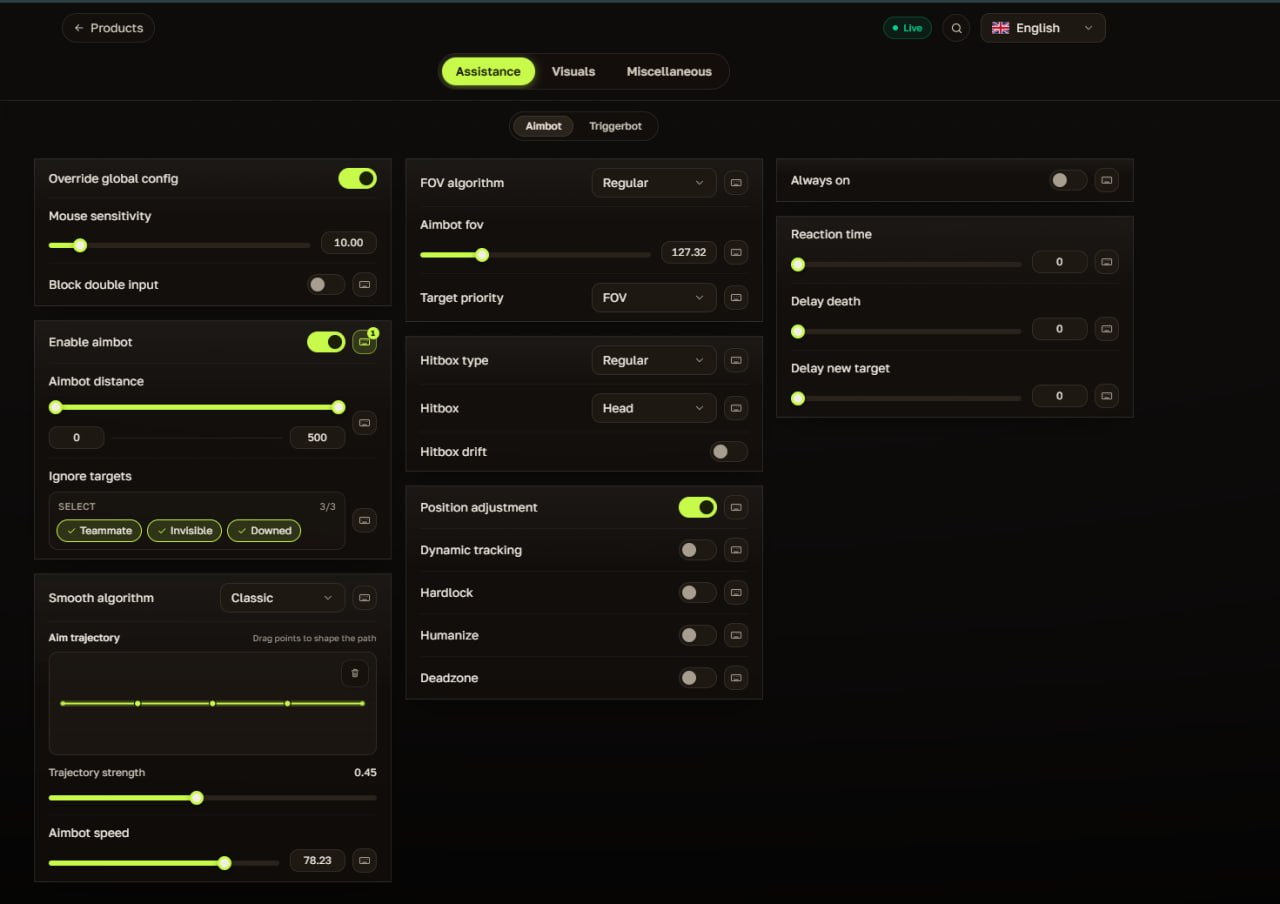
AIMBOT
Fully customizable aimbot with trajectory, smoothing, hitbox, and target priority settings.
- Enable Aimbot
- Override Global Config
- Aimbot Distance
- Mouse Sensitivity
- Block Double Input
- Ignore Targets (Teammate, Invisible, Downed)
- FOV Algorithm (Regular)
- Aimbot FOV
- Target Priority (FOV)
- Hitbox Type (Regular)
- Hitbox Selection (Head)
- Hitbox Drift
- Smooth Algorithm (Classic)
- Aim Trajectory (Drag points to shape the path)
- Trajectory Strength
- Aimbot Speed
- Position Adjustment
- Dynamic Tracking
- Hardlock
- Humanize
- Deadzone
- Always On
- Reaction Time
- Delay Death
- Delay New Target
-
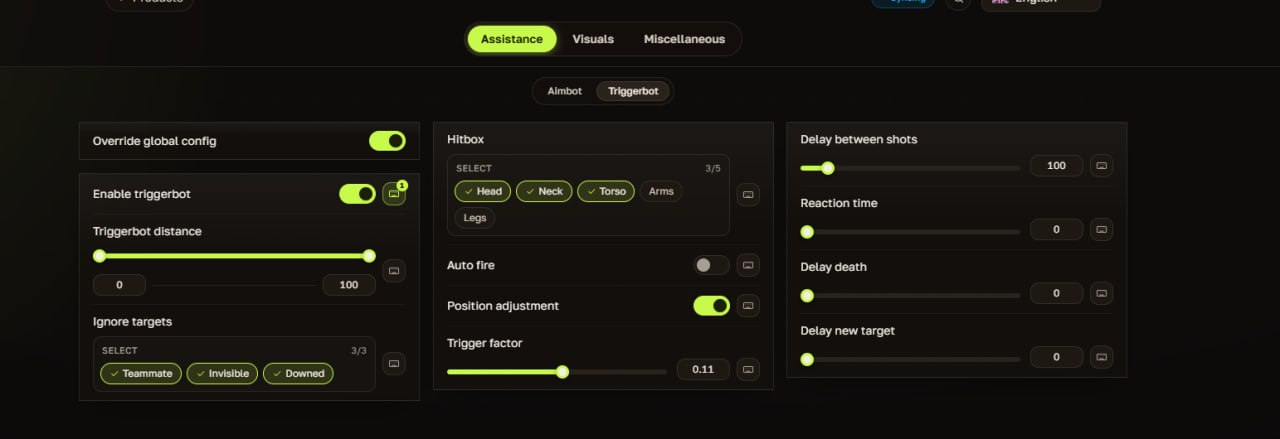
TRIGGERBOT
Advanced triggerbot with customizable hitboxes, delays, and trigger factors.
- Enable Triggerbot
- Override Global Config
- Triggerbot Distance
- Ignore Targets (Teammate, Invisible, Downed)
- Hitbox Selection (Head, Neck, Torso, Arms, Legs)
- Auto Fire
- Position Adjustment
- Trigger Factor
- Delay Between Shots
- Reaction Time
- Delay Death
- Delay New Target
-
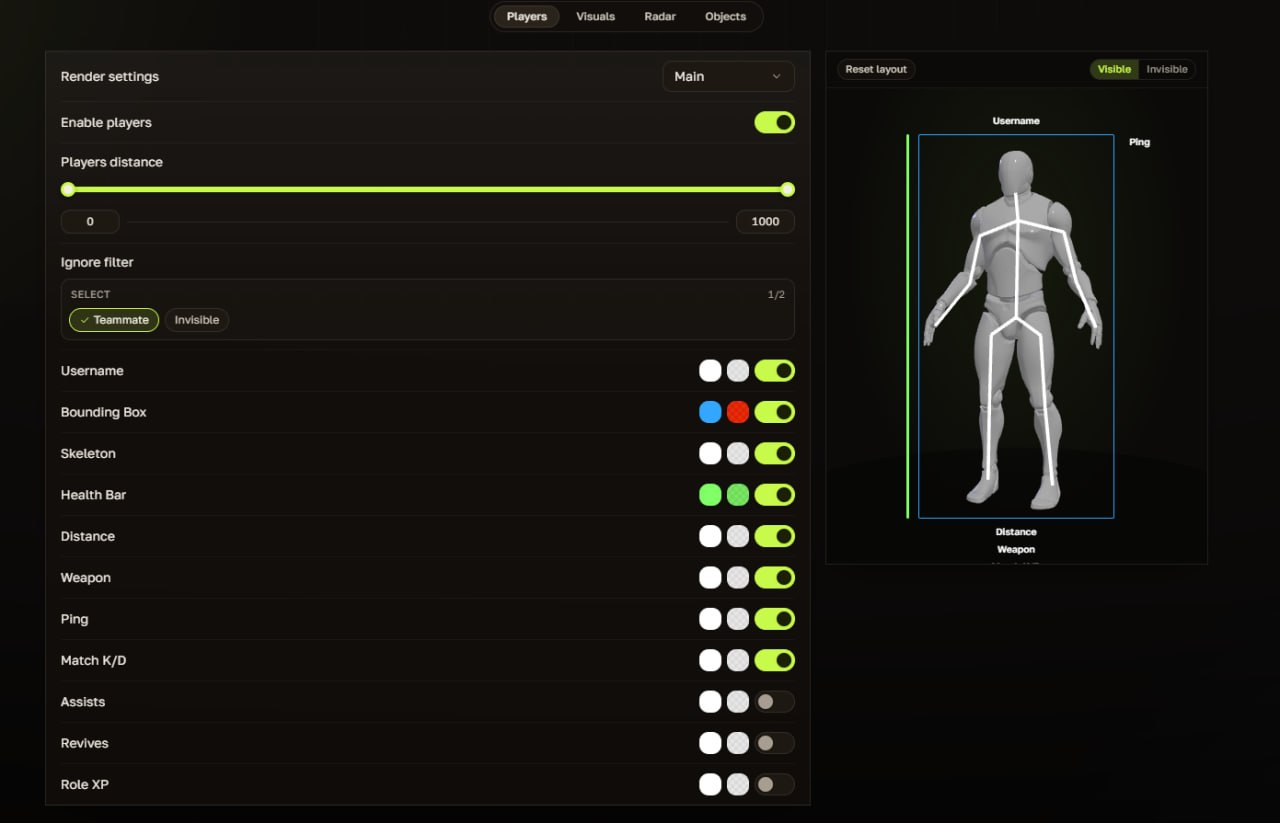
VISUALS - PLAYERS
Detailed player ESP with fully customizable information and visual elements.
- Render Settings (Main)
- Enable Players
- Players Distance
- Ignore Filter (Teammate, Invisible)
- Username
- Bounding Box
- Skeleton
- Health Bar
- Distance
- Weapon
- Ping
- Match K/D
- Assists
- Revives
- Role XP
-
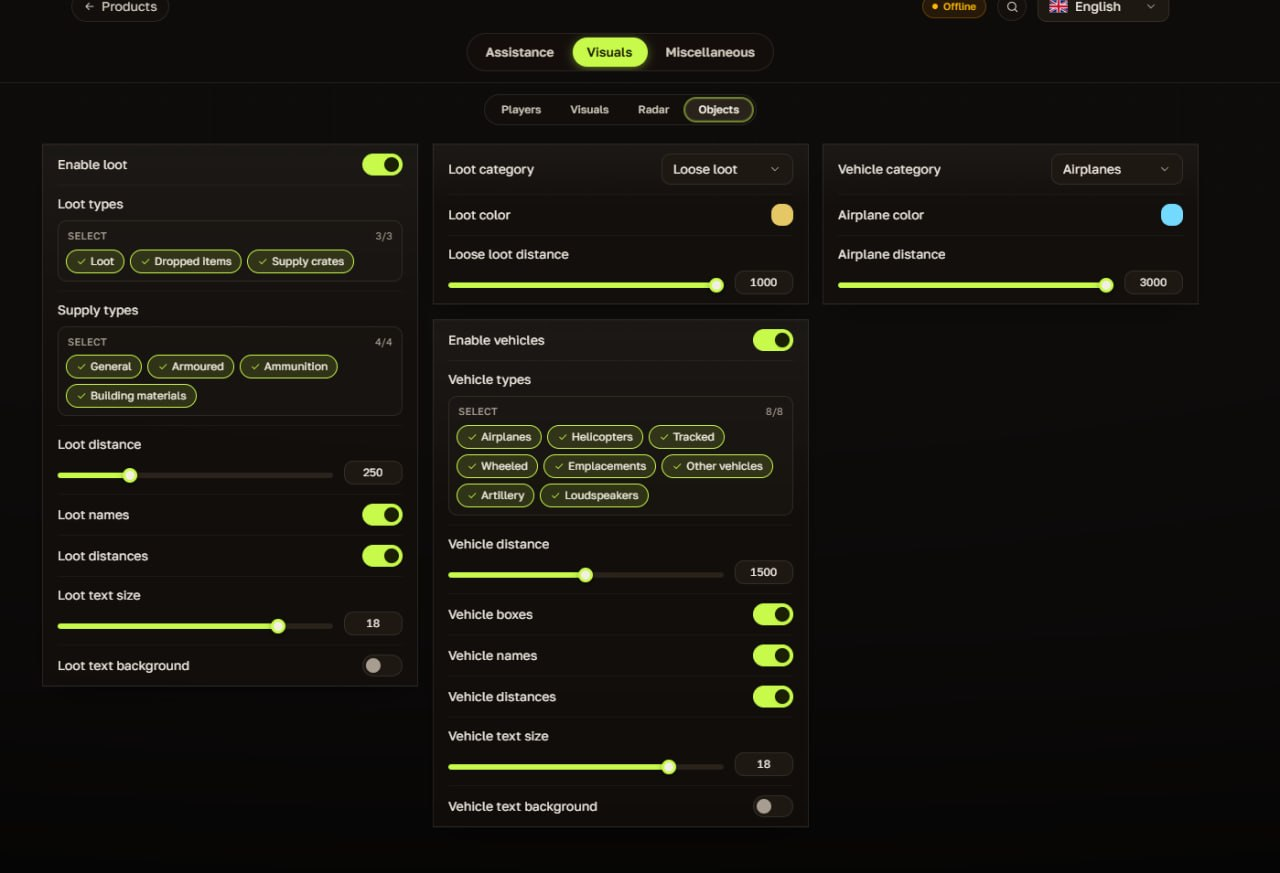
VISUALS - OBJECTS (LOOT & VEHICLES)
Comprehensive object ESP for loot, supplies, and all vehicle types.
- Enable Loot
- Loot Types (Loot, Dropped Items, Supply Crates)
- Supply Types (General, Armoured, Ammunition, Building Materials)
- Loot Distance, Loot Names, Loot Distances, Loot Text Size, Loot Text Background
- Loot Category (Loose Loot), Loot Color
- Enable Vehicles
- Vehicle Types (Airplanes, Helicopters, Tracked, Wheeled, Emplacements, Other Vehicles, Artillery, Loudspeakers)
- Vehicle Distance, Vehicle Boxes, Vehicle Names, Vehicle Distances
- Vehicle Text Size, Vehicle Text Background
- Vehicle Category (Airplanes), Airplane Color, Airplane Distance
-
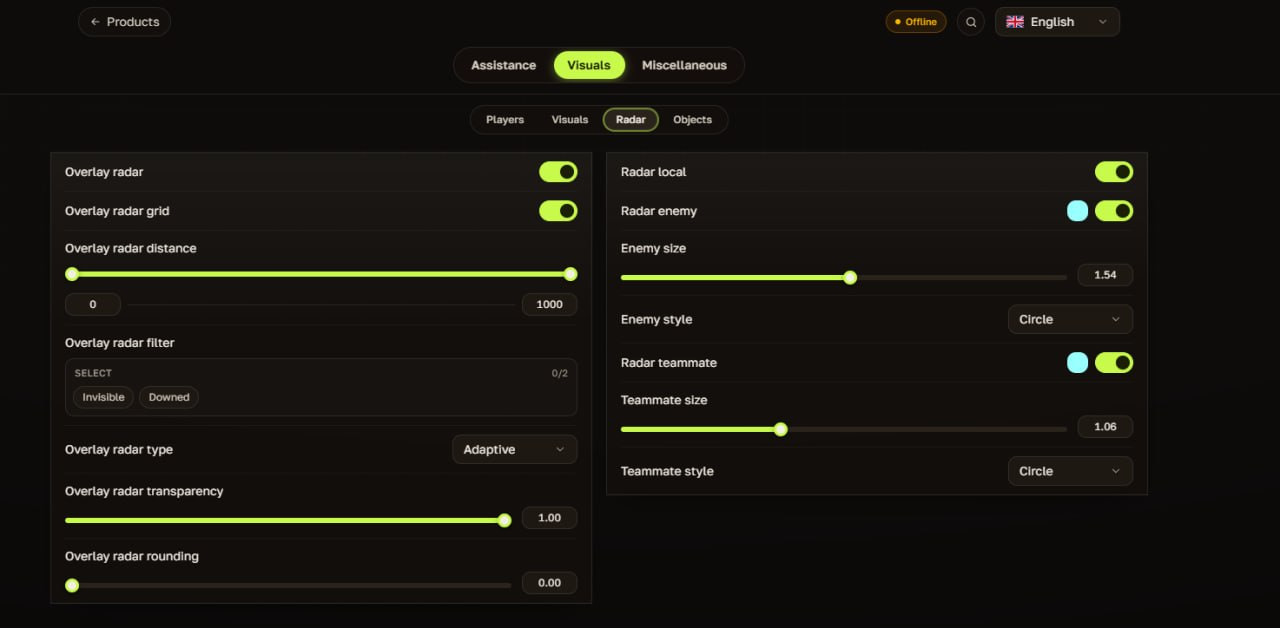
VISUALS - RADAR
Overlay radar and local radar with extensive customization options.
- Overlay Radar
- Overlay Radar Grid
- Overlay Radar Distance
- Overlay Radar Filter (Invisible, Downed)
- Overlay Radar Type (Adaptive)
- Overlay Radar Transparency
- Overlay Radar Rounding
- Radar Local
- Radar Enemy (Color, Toggle)
- Enemy Size, Enemy Style (Circle)
- Radar Teammate (Color, Toggle)
- Teammate Size, Teammate Style (Circle)
-
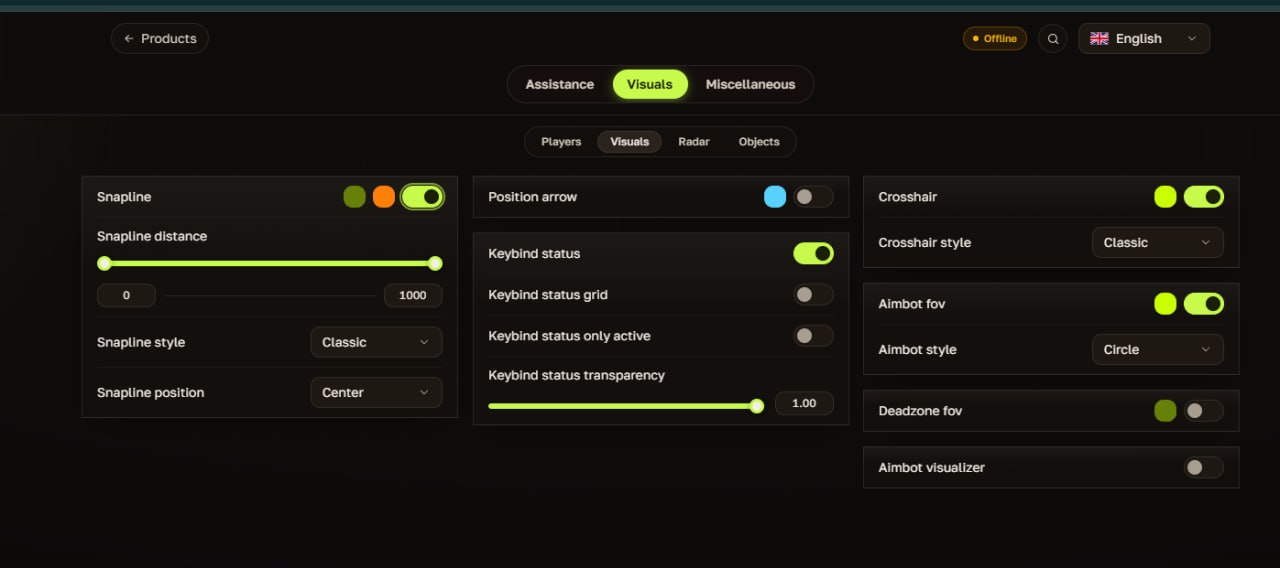
VISUALS - MISC
Snaplines, crosshairs, keybind status, and FOV visualizers.
- Snapline (Color, Toggle)
- Snapline Distance
- Snapline Style (Classic)
- Snapline Position (Center)
- Position Arrow (Color, Toggle)
- Keybind Status
- Keybind Status Grid
- Keybind Status Only Active
- Keybind Status Transparency
- Crosshair (Color, Toggle)
- Crosshair Style (Classic)
- Aimbot FOV (Color, Toggle)
- Aimbot Style (Circle)
- Deadzone FOV
- Aimbot Visualizer