👋 Welcome! Use code CAMUNLOCKS at checkout to unlock 5% off your first order!
Wardogs - Pure DMA
Requirements
Summary
Wardogs - Pure DMA
Cheat Features
-
Visuals
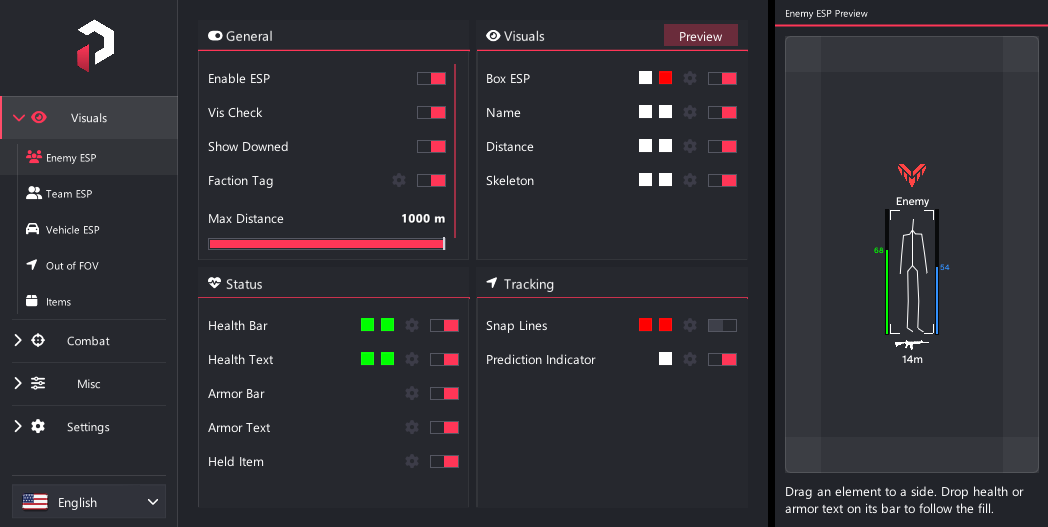
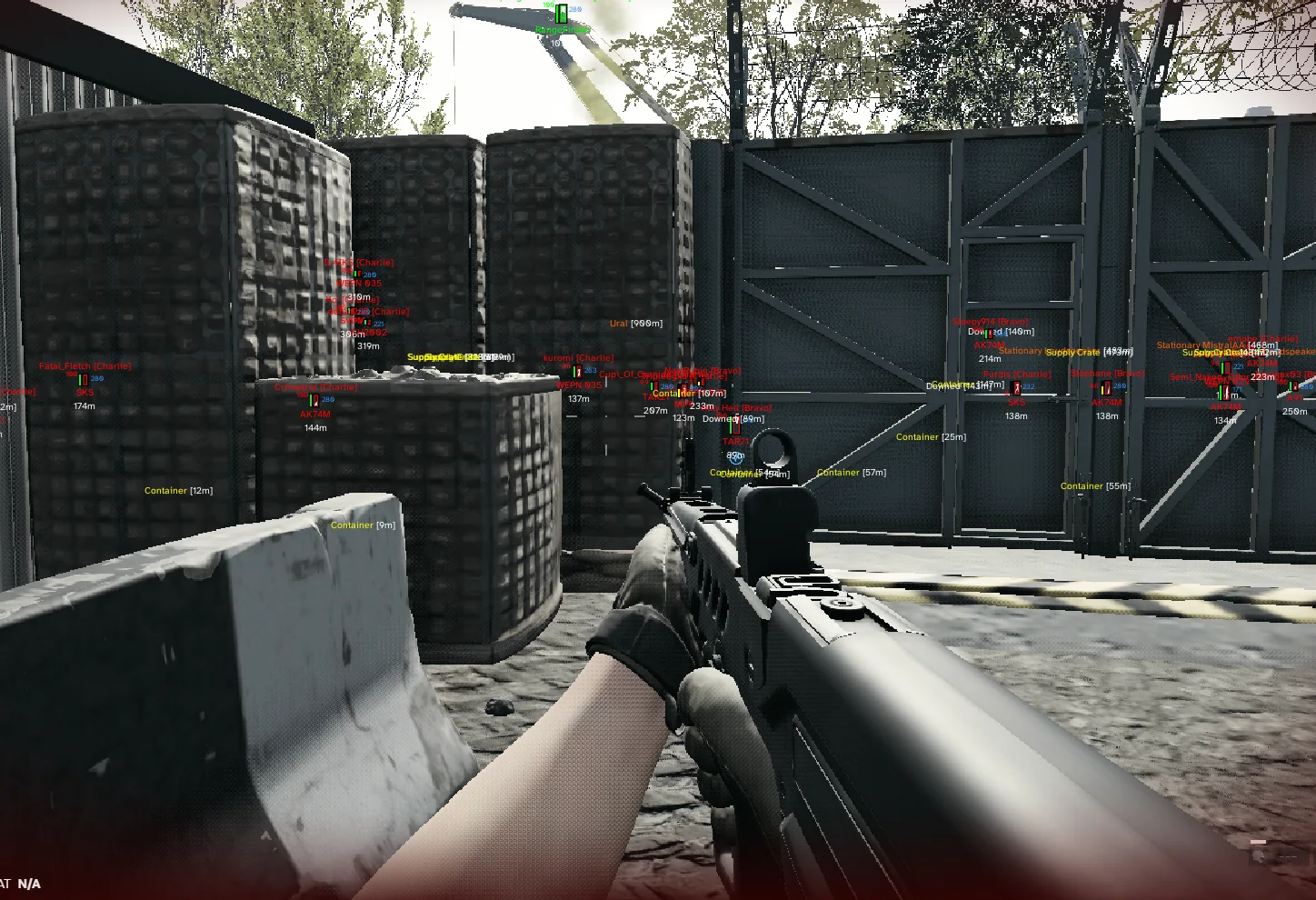
Enemy ESP, Team ESP, Vehicle ESP, Out of FOV arrows, and Item ESP with extensive customization.
- Master ESP on/off
- Visible vs behind-wall colors (Vis Check)
- Show Downed
- Faction row — Lonestar / Valkyra / Manticore as name or logo, with an editable color per faction tinting both
- Boxes (full / corner) with outline, thickness, corner length
- Names, distance, skeletons (thickness + range)
- Health bar + health text (solid / gradient, left / right / top / bottom)
- Armor bar with its own side, plus armor text tracking the fill the same way health text does
- Held weapon as name or killfeed icon, with its own size and color
- Snap lines (bottom / top / centre origin)
- Prediction indicator while aiming at a player
- Prediction marker color, size, fill, trail and max distance
- Per-element colors, hidden colors, distance limits, font sizes
- Per-element placement: above / below / left / right of the box, plus On Bar for the health and armor readouts
- Live preview panel
- Drag visible elements around the preview to change placement
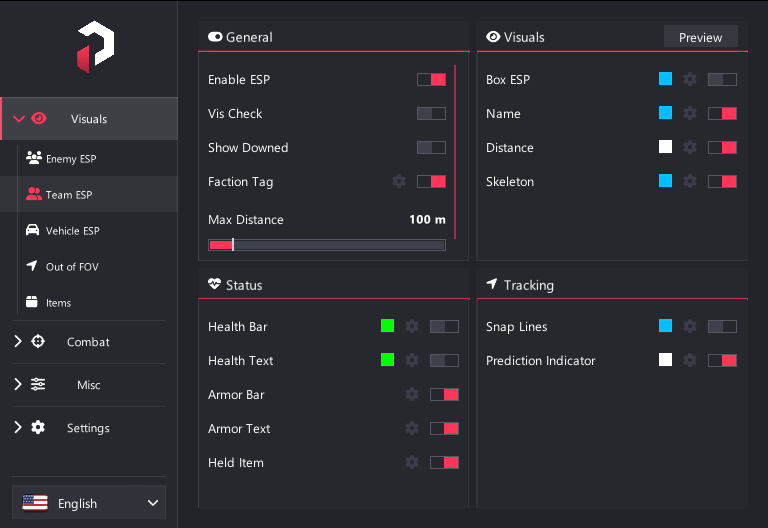
- Team ESP
- Same overlays as Enemy ESP for teammates
- Independent Show Downed
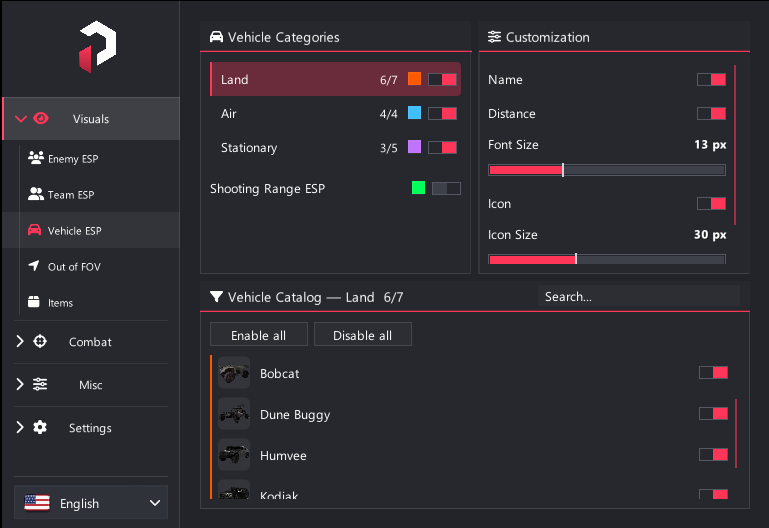
- Vehicle ESP
- Names, distance and colour-tintable killfeed icons
- Configurable icon size, always placed above
- Shared name/distance font size
- Searchable vehicle catalog with grouped model variants
- Independent Land, Air and Stationary enable/color controls
- Shooting Range ESP (color + dummy / target filters)
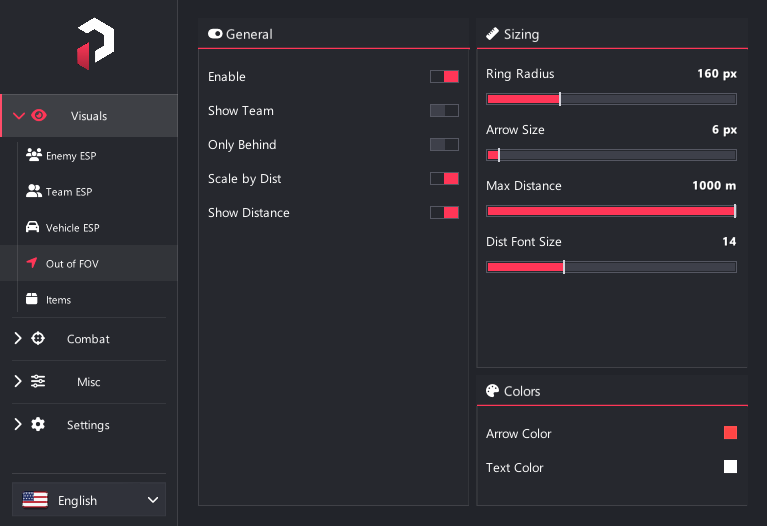
- Off-screen direction arrows for enemies (optional teammates)
- Behind-you-only mode, distance scaling, distance text
- Ring radius, arrow size, max distance, colors
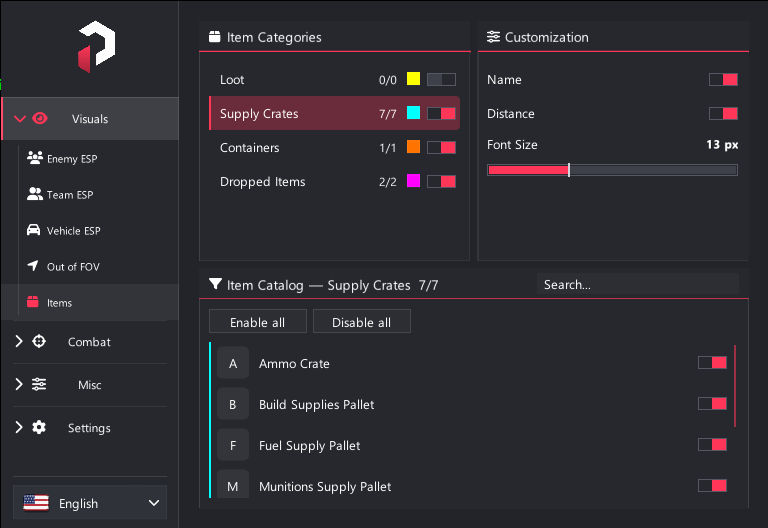
- Supply crates and dropped items
- Independent category enable/color controls
- Names, distance and font size
- Searchable item catalog
-
Combat
Connection, aimbot, triggerbot, crosshair, and integrated prediction.
- Hardware: Off / Kmbox USB / Kmbox Net / Macku / Macku Controller
- Auto-connect, COM auto-detect, baud, network IP / port / MAC
- Macku stick scale (controller)
- Connect / Disconnect / Test movement
- Aimbot delay (reduce shake)
- Aim keys (up to 4), hold or always-on
- Hitboxes: head, neck, chest, pelvis, left/right arms, left/right legs
- Target: Enemies / AI / Allies / Vehicles
- Priority: crosshair / distance / lowest HP %
- Max distance
- Visibility check (won't target enemies behind objects)
- FOV, draw FOV circle, smoothing
- Advanced: dynamic FOV, deadzone + draw, target lock
- Target lock delay shown only after target lock is enabled
- Prediction from your equipped weapon
- Auto-fire when crosshair is on target
- Semi or full-auto, delay
- Hitboxes: head, neck, chest, pelvis, left/right arms, left/right legs
- Target: Enemies / AI / Allies / Vehicles
- Max distance
- Visibility check (won't fire on enemies behind objects)
- Hit radius + draw hit radius
- Advanced: deadzone + draw, override fire key
- Prediction from your equipped weapon
- Custom overlay crosshair (10 shapes, size, gap, outline, color, rotation)
- Live preview
- Enemy and Team ESP each have their own indicator toggle
- Aimbot and Triggerbot each have their own prediction toggle
- Visual indicator predicts from the head; combat predicts from the selected hitbox
- Uses your current weapon's speed, drop and zeroing — no manual speed entry
-
Miscellaneous
Mini radar, full-map radar window, and movable HUD player popup.
- Mini radar — enable, shape, size, range
- Opacity fills the radar black so a fuser can key it out
- Optional north-up world-map background for Mini Radar
- Blips for enemies, teammates, downed, AI, and vehicles
- Colors for enemies, team, downed, and you
- Look direction, distance text, blip scale
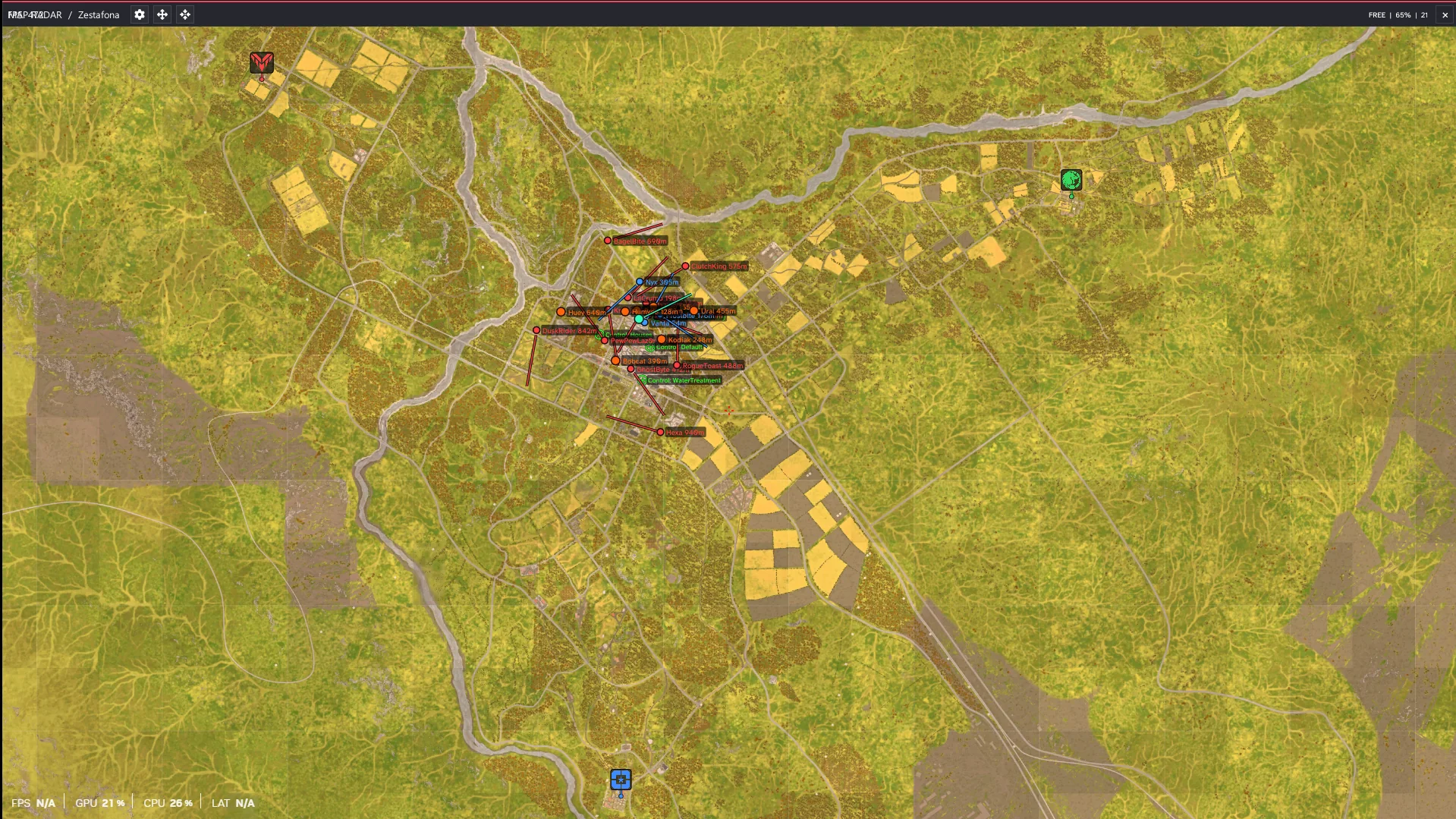
- Separate movable/resizable full-map radar window
- Blip shapes, fill/outline, category scales, facing lines and label layout
- Resizable tabbed radar settings window
- Pan, zoom, follow and recenter
- Automatic map selection with manual override
- Maps: Bakurani, Ozeti, Zestafona, plus Russia alternate art
- Optional POIs: landmarks, areas, control points, deployments, infantry and vehicle spawns, shops, garages and fuel stations
- Independent blips for players, AI, vehicles, downed, loot, crates, containers, dropped items and shooting-range actors
- One movable player popup for name, faction, distance, health, armor, held gun, ammo and attachments
- Drag-and-drop list editor with per-field toggles and a live preview
- Follows the closest player to your crosshair
-
Settings
Config management, overlay, menu, language, and DMA/input status.
- Load / Save / Create / Delete profiles (Default is protected)
- Open config folder, auto save
- Transparent overlay, One PC mode
- FPS counter, monitor & custom resolution, background color
- Menu toggle key, menu scale, accent / rainbow theme
- High-contrast menu, ESP font (Atkinson / Arial-Segoe)
- On-screen keybind list (enable with color on the same row)
- UI language: English / 中文 / Русский / 한국어
- Reattach to game / Close cheat
- Status: game link, DMA card, keyboard sync, hardware mouse
- Player count, read time, loop time, tick rate